Automatic Top up
You can set up Auto Top Up to make sure you've always got credit when you need it. This is especially useful if you're a regular user of Penny services.
An example auto top up rule is "When my balance goes below $30, top me up to $100." This means that when you do any transaction that takes your balance below $30, a top up transaction will automatically be started for the amount required to get you back to $100.
Choose your amounts wisely!
Set a decent margin between your minimum and top up amount, to keep the number of transactions low!
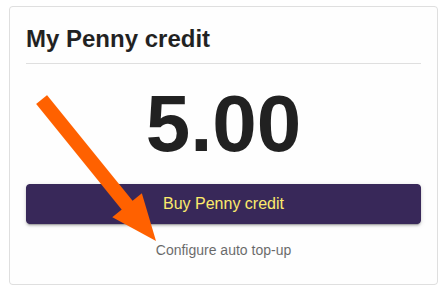 How do I use auto top up?
Follow the option to "Configure Auto top up" on your dashboard, after you have done at least one successful manual top up.
How can I cancel auto top up?
When an auto top up is active, you will see this on your dashboard. Follow the link to disable or remove it.
Other ways to manage auto top up
Find it in your app via the menu under "Profile".
When will my auto top up occur?
An auto top up will be attempted within 5 minutes of your specified top up conditions being met. You will receive an emailed Tax Receipt upon success.
What if the auto top up fails?
We'll notify you via email if an auto top up fails. We will also disable the auto top up rule to prevent repeat attempts, so you'll need to re-enable it if needed.
What payment methods can I use?
You can choose any payment method that you have previously used for a manual top up. This can be a card, or NZ Direct Debit. Choosing NZ Direct Debit for auto top up is a great way to keep ahead of the processing delays associated with this, as a more cost effective payment method.
Once an auto top up via NZ Direct Debit is in progress, no further auto topup will be attempted until the processing request has completed.
Our usual transaction fees apply
Check this page for more information about the transaction fees we pass on. Example fees are shown below.
Auto Top Up can help minimise transaction fees
Using NZ Direct Debit with Auto Top Up helps ensure your Penny Credit is available when you need it.
Amount of top up | Card transaction fee | NZ Direct Debit transaction fee |
$10 | $0.63 | $0.52 |
$50 | $1.87 | $0.92 |
$100 | $3.42 | $1.42 |
$200 | $6.52 | $2.42 |
$500 | $15.82 | $4.00 (capped fee) |
$1000 | $31.32 | $4.00 (capped fee) |